


Organization Members
An IPinfo organization is a parent account (the owner) with member child accounts attached to it. Membership is managed at /dashboard/organization; owners see the full org view with write actions, members see a read-only team view. All write actions are enforced by the API.
This is separate from Single Sign-On: an organization can have members without SSO, and SSO gates on organization access plus its own entitlement.
The organization page
/dashboard/organization renders differently depending on the caller's role.
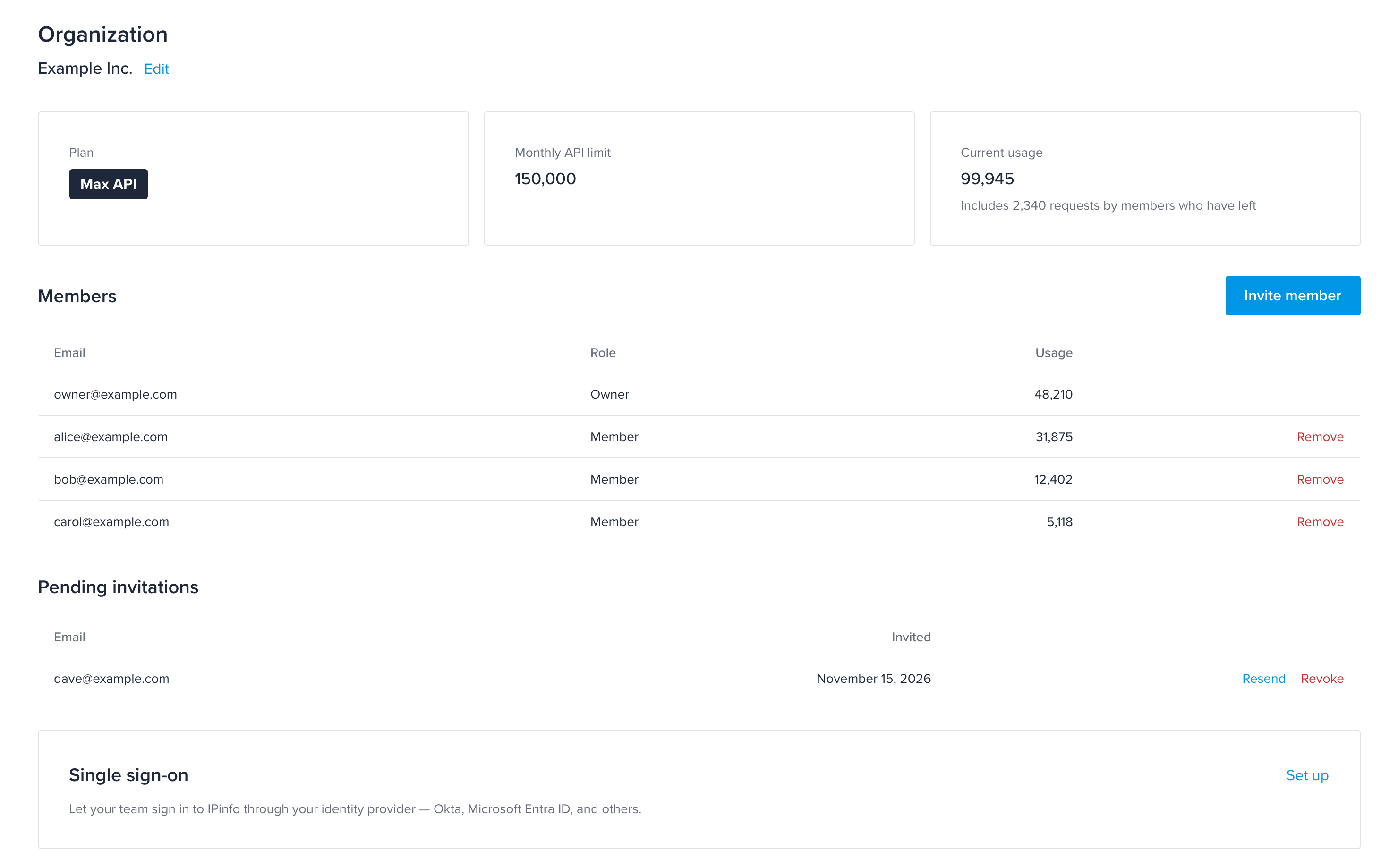
Owner view
The owner sees the full view: an Invite member button, a Remove action next to every member, the Pending invitations list, and the Single sign-on card (when the org is entitled to it).
Team member view
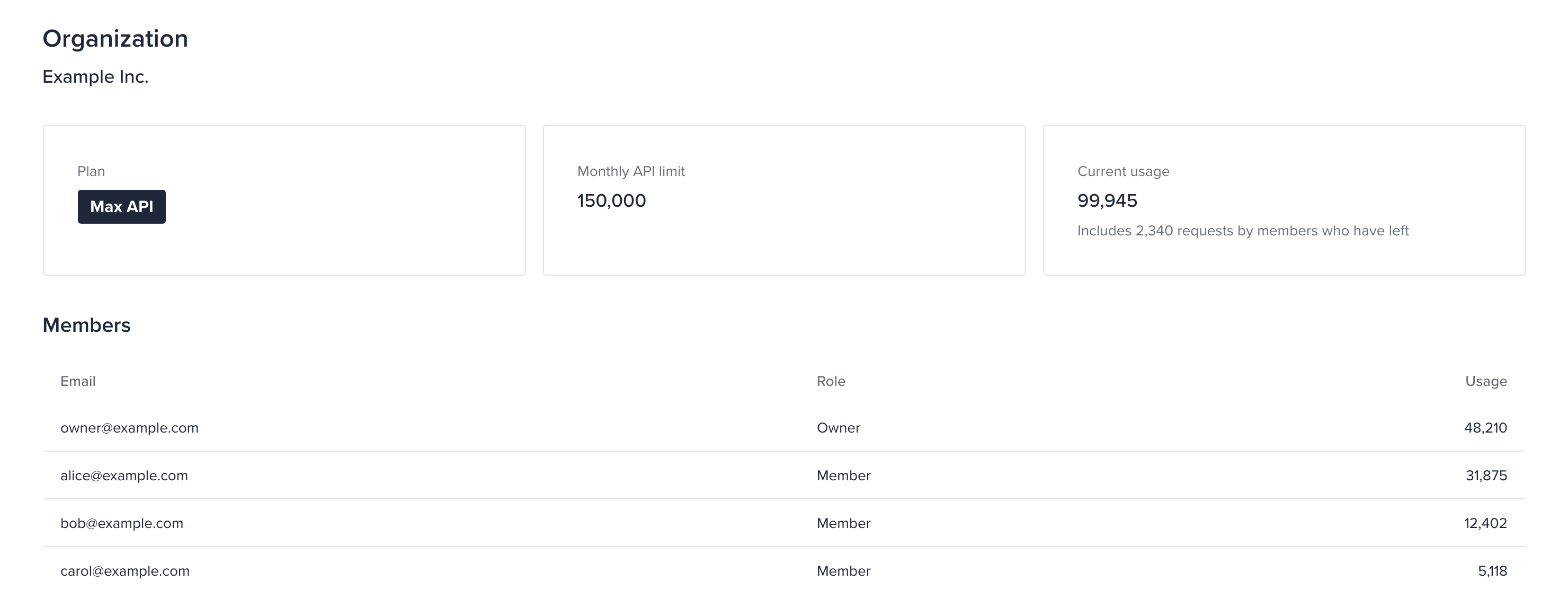
A member sees the same plan, usage, and member list, but read-only: no invite, remove, pending invitations, or SSO management controls.
Availability
The Organization feature is available to all Enterprise accounts — team members can be invited without any separate entitlement request. Each invited member gets their own IPinfo account and API token; they never share the owner's token.
Roles and capabilities
| Action | Owner | Member |
|---|---|---|
| View the org / team | ✓ | ✓ |
| Invite, revoke, or resend an invite | ✓ | — |
| Remove a member | ✓ | — |
| Accept an invite addressed to them | — | ✓ |
There is no self-leave. A member who wants to leave an organization deletes their own account; owners cannot be removed by anyone but themselves (via account deletion).
Inviting a member
Only the owner can invite. Each invitation is one row per (org, email) pair; its token is a single-use link with roughly a 7-day expiry.
An email with no existing IPinfo account isn't a rejection: it becomes a create-account invitation instead of an error.
Not every email can be invited. An invite is rejected if the invitee already has their own paid subscription, already belongs to another organization, or is themselves an organization owner. The rejection is deliberately generic, IPinfo doesn't say which of these applied, just that the invite couldn't be sent.
Usage and limits
The organization page shows one Monthly API limit shared by the organization owner and all members. Everyone uses the same pool of requests. Adding more members does not increase the limit. The total number of requests available is determined by the owner's plan.
Current usage is the combined total for the owner and all members for the month, and it can include requests made earlier in the month by someone who has since left the organization.
Overage settings — whether overages are enabled, and any IP blacklist — are configured once by the owner and apply to the whole organization; a member can't set their own. Overage requests are billed only when overages are enabled for the organization and the request type being used has a price.
Usage alert emails are sent to the organization owner only. In the dashboard, a member approaching their limit sees a notice to contact their organization's admin; the owner sees a notice to contact IPinfo support or their account manager.
Accepting an invitation
- No account yet: signing up through the link creates the account already verified and already a member, in one step. The invitation email is treated as proof of inbox ownership.
- Account already exists: the person signs in and explicitly accepts. Existing accounts are never auto-joined.
- Signing in via SSO: same split as above. A brand-new account whose SSO-provider-verified email matches the invite joins automatically; an existing account, whether logging in or attaching the provider, still has to accept explicitly.